Price Calculator
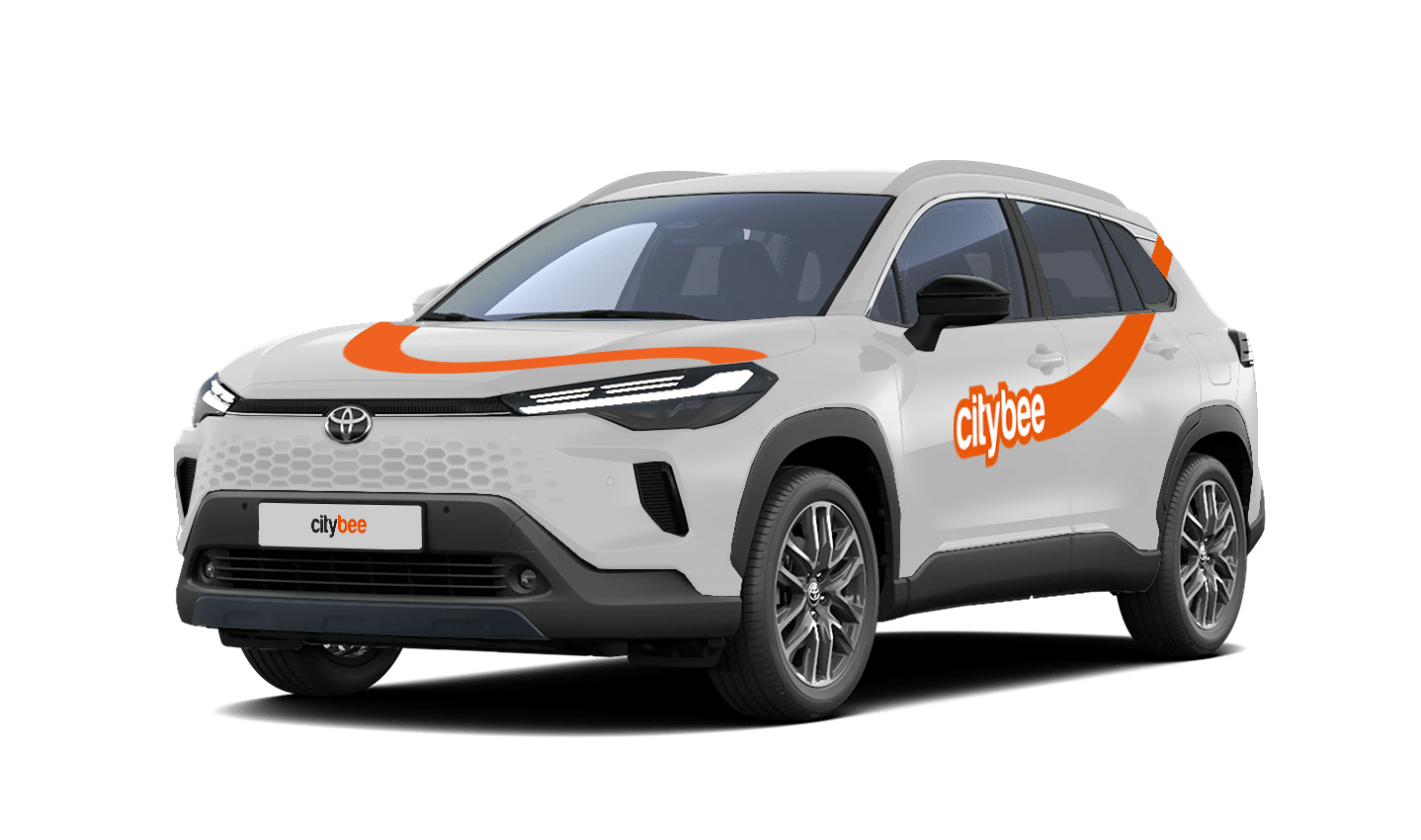
Toyota Corolla Cross
The price of this journey would be
0€
Trip start fee of 0.44€ is included in the price calculation.
If the car gets dirty during a long-term rental in Lithuania, we offer several options:
Go to the PRO BRO tunnel car wash and wash your car for free;
Contact us by +37070044844, Facebook or via email info@citybee.lt.
If the car gets dirty during a long-term rental in Latvia, please contact us by calling +371 27265460 and we will provide you further details.
If the car gets dirty during a long-term rental in Estonia, please contact us by +372 600 0160, Facebook or via email info@citybee.ee and we will provide you further details.
The minimum trip price is the smallest amount payable for our services, deducted from your payment account once you unlock the car or extend your reservation. If your trip cost exceeds the minimum, the remaining amount will be charged by the end of the trip. However, if the total is less than the minimum, the difference won’t be refunded.
You’ll find the minimum trip price for each car listed in the app.
Please note that discounts do not apply to the minimum trip price.
If you want to use the car for a day, a week, or longer, you can choose from our prepaid package deals.
The price of the fixed prepaid package will be charged at the beginning of the trip and the price for the extra kilometers and/or time will be charged during or at the end of the journey, depending on the length of your trip.
You can find all of the prepaid packages in the CityBee app by clicking on the chosen car reserve button.
If you happen to exceed the kilometers and /or time included in the price of the package, you will be able to continue the journey safely.
After the prepaid package ends (mileage and time included are finished), you will be paying for additional minutes and/or kilometers as specified in the chosen package deal.
You can also continue your trip by purchasing one more additional prepaid package without completing the active reservation.
If you decide to end the trip before using the time and /or kilometers indicated on the prepaid package, this balance will not be refunded.
Use is no different from a short-term CityBee rent, and all the benefits offered (insurance, fuel, washing) remain as well.
Choose the car you want from the CityBee fleet, reserve it, and start your journey.
With CityBee, you can easily request a refund right in the app – no need to send emails or fill out forms.
How it works
Open the app, go to the menu, find Trip history, choose your trip, and tap Refund.
Select what the refund is for – fuel, AdBlue, parking, or your trip experience.
Add the required information.
For fuel, AdBlue, or parking – upload a photo of the receipt.
For trip experience – write a short explanation.
Check that everything is filled in and submit your request. Once it’s sent, you’ll see a confirmation message and the request will appear in the Help section. You can also follow the progress of your request in the Help section. Any updates or replies from our Support team will be shown there.
Make sure you’re using the latest version of the app to access this feature. If you have any questions, reach out via CityBee app or via email at info@citybee.lv
Please note that refunds can only be made to a bank account in the name of the CityBee profile owner who made the reservation.
Vans have their own parking zones, which are different from the ones for cars. Just tap the van icon in the app to see where you can go. The color-coding works the same way you’re used to:
– Clear zones – Park or end your trip here anytime, as long as you follow regular parking rules
– Yellow zones – These might add a small fee or give you a discount when you start or finish a trip. Tap the € symbol to check the exact amount for that zone
– Grey zones – No ending trips here, sorry!
The good news? You don’t have to bring the van back to where you picked it up. Any allowed van zone works.
One thing to keep in mind: Electric vans have their own special zones. If you plan to drive an electric van, make sure to select it in the app, that way you’ll only see their specific zones.
For more details on parking zones, see our guide here.
At least one payment card must be linked to a CityBee account. You can link more than one payment card and choose from which card you will be billed for services before each trip. It is important that the card type is VISA or MasterCard and that the secure internet shopping function is activated.
How do I activate the secure internet shopping function?
1. SEB: Log in to your internet bank and look for “Accounts and Cards” -> “Card List” in the menu bar at the top. You’ll see all of your cards that can be registered with the secure internet shopping programme. Next to the desired card in the options below, click on “Online Billing” and click “Enable”.
2. Swedbank: Log in to your internet bank and look for “Cards” -> “Secure internet shopping” in the menu bar on the left. You’ll see all of your cards that can be registered with the secure internet shopping programme. Select the desired card next to the note “Online Billing” and click “Enable”.
3. Šiaulių Bankas: Log in to your Internet bank and in the menu on the left, select “Cards” -> “Secure payment” -> select the payment card for which you want to activate the secure internet shopping and click “Register” -> enter the requested data and confirm it by pressing the “Enter and Sign” button -> soon the status of the card will change to “Registered”.
4. Luminor bank: Log in to your Internet bank and in the menu, select the item “Payment cards” -> select the payment card for which you want to activate the secure internet shopping and in the opened window click “Secure shopping service settings” -> select the “Order service” button -> enter the requested data, which the bank will show you later during the purchase -> click “Order service”.
5. Danske bank: No additional activation of the secure internet shopping is required.
6. Citadele bank: No additional activation of the secure internet shopping is required.
CityBee wallet is a virtual payment method which can be used to pay for CityBee services. You can find your CityBee wallet in the app by clicking Menu -> Payments.
CityBee wallet cannot be topped up, but the balance will be used automatically.
The usage time of the car starts from the moment of unlocking the car or when you click “extend the reservation” and ends when the car is locked via the smartphone app.
Each time you use CityBee, you are able to choose “pay as you go” or prepaid packages.
Trip start fee – additionally applicable to all “pay as you go” trips (not applicable to travel packages). Fee amount for each car is indicated in the App.
Prepaid packages – the prices for the packages are fixed. Prepaid package prices are based on the time and kilometers included. If the time or kilometers included in the package are exceeded, the additional price is calculated according to the set tariff, specified when choosing the package.
You can find all of the available packages and prices in the CityBee app and use the custom package function.
There is no extra charge for fuel and insurance – we take care of it.
The price of this journey would be
0€
Trip start fee of 0.44€ is included in the price calculation.